How to Choose Voice and Text Task Creation Software: A Buyer's Guide
Voice notes pile up faster than anyone can turn them into assigned tasks. Teams working from WhatsApp already have the words; what they lack is a way to convert a spoken instruction into a deadline, an owner, and a status everyone can see.
This guide explains what Tasks.Bot does, how voice note and AI text task creation work inside WhatsApp, and which features matter for field teams. By the end, you will know how to compare task creation tools, read pricing and beta terms, and judge whether Tasks.Bot fits your team.
What Is Tasks.Bot? Who It's Built For
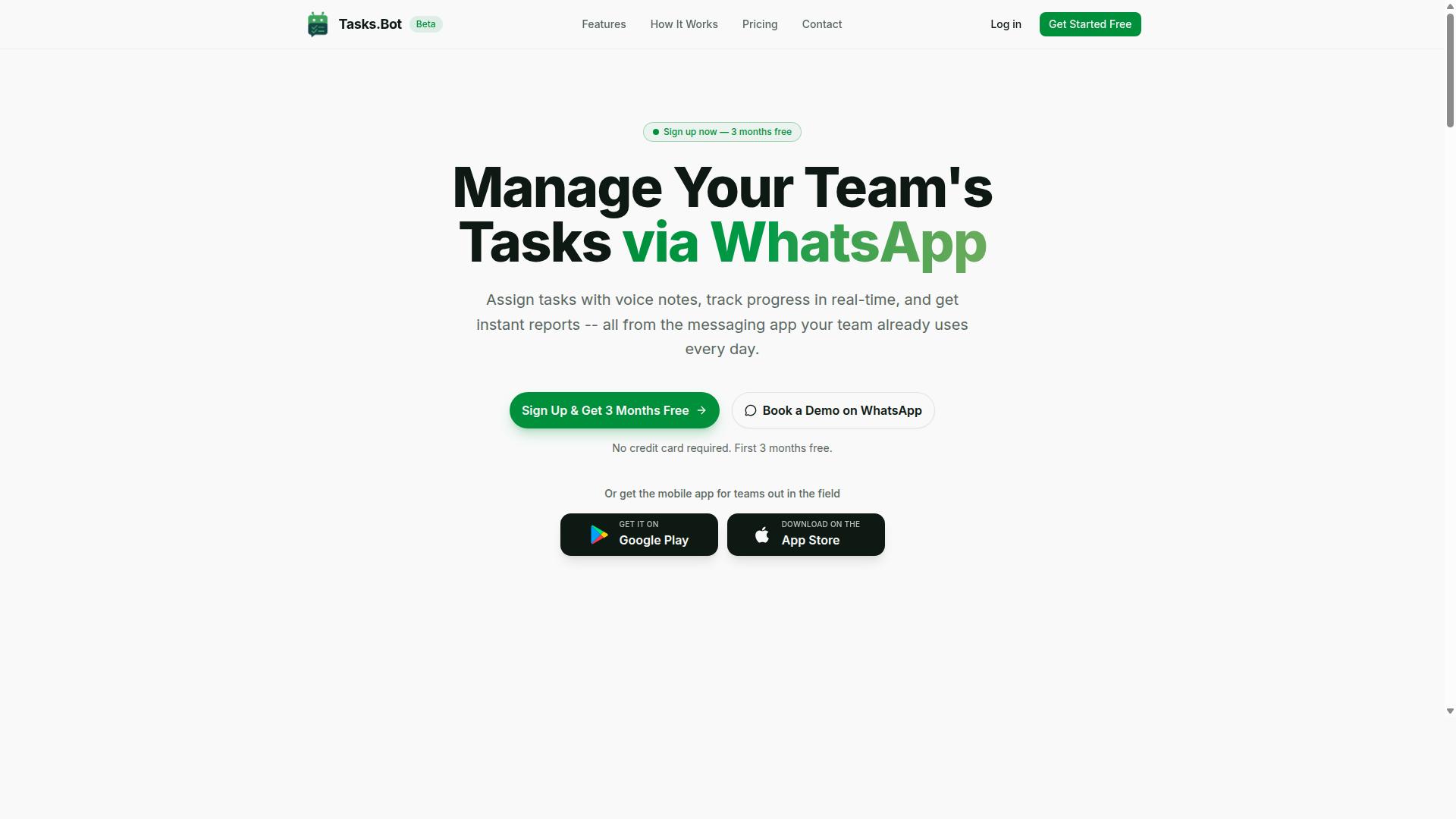
Tasks.Bot is a task management platform that runs entirely inside WhatsApp, enabling teams to assign tasks, track progress, and receive reports without leaving the messaging app. It is a SaaS tool, meaning there is nothing to install on a server and no IT project required to get moving.
The core idea is simple. Instead of asking people to learn a new dashboard, Tasks.Bot meets them where they already spend their working day. Task assignment, progress tracking, and reporting all happen within WhatsApp, so the barrier to adoption stays low.
A companion mobile app extends the platform to field staff. That matters for crews who are on the move and not sitting at a desk. The app supports the parts of the workflow that a chat thread alone cannot cover well.
Tasks.Bot is currently in beta and is used by hundreds of teams. It also offers a free trial period, which gives a buyer a practical way to see how the platform fits before committing.
So who is it built for? The clearest fit is teams already using WhatsApp for day-to-day communication. If your coordination already lives in group chats, Tasks.Bot adds structure without forcing a migration to unfamiliar software.
Field teams are a second strong fit. When staff need attendance tracking and payroll-ready hours, a messaging-first tool removes the gap between the work being done and the record of it. Supervisors get visibility, and admin staff get cleaner inputs.
In short, Tasks.Bot is a WhatsApp-native task management platform for teams that want structure inside a tool they already trust, with a mobile app for the people working away from a desk.
Does Tasks.Bot Solve the Voice and Text Task Creation Problem?
Most task management apps share the same flaw. Creating a single task takes a dozen taps, a title field, a due date picker, and a separate app window, so people delay or skip it entirely. Friction at the point of entry is often cited as one of the main reasons task management software gets abandoned.
Tasks.Bot directly addresses the friction of traditional task entry by letting users create tasks through voice notes or natural language text inside WhatsApp. There is no new interface to learn and no separate tool to open. The AI interprets what the user says or types and turns it into a structured task.
Because Tasks.Bot operates entirely within WhatsApp, team members don't need to install anything or create new accounts. That removes two of the biggest adoption barriers in team collaboration software. The sections below explain how each input method works in practice.
How Voice Note Task Creation Works in WhatsApp
Creating a task with Tasks.Bot is as simple as sending a voice note in a WhatsApp chat. The user holds the microphone button, speaks naturally, and releases it. No special syntax, no command menu, no dictation software required.
Behind the scenes, the process follows a clear sequence:
- The user records a voice note in WhatsApp.
- Tasks.Bot's AI applies automatic speech recognition to transcribe the recording.
- The system extracts the task details, including the title, the assignee, and the deadline.
- Tasks.Bot confirms that the task was created.
This approach matters because it keeps the whole interaction inside a chat app people already have open. There is no additional app to download and no second account to manage. For field workers, delivery staff, or anyone moving between locations, that convenience is the difference between a task getting logged and a task getting forgotten.
Voice capture also fits the reality of hands-busy work. A technician on a ladder or a driver between stops can speak a task in seconds rather than typing it out. Tasks.Bot's Android and iOS apps extend this further with voice capture and push notifications, while the core workflow stays anchored in WhatsApp.
Text and Natural Language Task Entry via AI
Tasks.Bot also lets users type tasks in plain language, which its AI parses to extract actionable items. A message like "Assign John to call client tomorrow at 3pm" is enough. The system identifies the task itself, the assignee, and the due date without the user touching a form.
This is where natural language processing and machine learning do the heavy lifting. Rather than forcing rigid syntax or pre-set commands, the underlying language models interpret intent from ordinary sentences. Users write the way they already text colleagues, and Tasks.Bot translates that into structured task management data.
The practical benefit is a shorter learning curve. Teams do not need training sessions or a manual of accepted phrases before text task creation software becomes useful. Because entry happens inside existing WhatsApp conversations, adopting the tool adds almost nothing to the daily routine.
Text and voice also complement each other. A quick voice note suits a user on the move, while a typed sentence works better in a quiet office or when precise wording matters. Together they cover the range of situations where a task idea appears, which is exactly the versatility a buyer should look for when comparing options in this category.
Key Features That Matter When Choosing This Software
Beyond task creation, Tasks.Bot includes features that streamline assignment, tracking, and reporting for teams of all sizes. Voice note task creation and text entry are the entry points, but the real value of any voice task creation software or text task creation software lies in what happens after a task is captured.
For a buyer, this is where the evaluation should focus. Does the platform automate the work that follows? Can it manage people, deadlines, and proof of completion without adding another dashboard to check?
Tasks.Bot is built for WhatsApp-first teams, especially those with field staff who are rarely at a desk. Its task management runs through native WhatsApp integration, with Android and iOS apps offering push notifications, voice capture, and a home screen widget. Artificial intelligence helps understand user intent and create tasks from messages.
The features below cover the essentials a buyer should weigh: assignment and approvals, plus the field tools that keep remote work visible. All of these are included in the Full Access plan.
Task Assignment, Deadline Reminders, and Approvals
Tasks.Bot automates the lifecycle of a task from assignment to completion with smart reminders and approval workflows. Assignment can follow automatic rules or be set manually, so managers decide how much control to keep and how much to hand to the system.
Once a task is assigned, smart deadline reminders nudge the assignee through WhatsApp. Because the nudge arrives in the same app the team already uses, there is no separate notification to miss and no new tool to learn.
Approvals add a checkpoint where it matters. A task can require sign-off before it is considered done, and the system tracks that approval. Consider a field service request: a technician marks the job complete, but a manager must approve the work before it closes. The request cannot quietly disappear.
These features cut down on manual follow-ups. Instead of a manager chasing updates across calls and messages, the platform handles the reminders and records who approved what and when.
For buyers comparing options, this is the difference between a simple capture tool and a workflow automation platform. Voice commands and speech-to-text get a task into the system quickly. Assignment rules, reminders, and approvals are what keep it moving to completion.
Field Team Tools: GPS Tracking, Face-Verified Attendance, and Reports
For teams with field staff, Tasks.Bot offers GPS tracking, face-verified attendance, and instant reports to monitor work in real time. These tools matter most to businesses where staff are spread across locations and a manager cannot see the work directly.
Tasks on a map give managers a view of where tasks are located, which helps with planning and route optimization. When jobs are scattered across a city or region, seeing them together supports better decisions about who goes where.
Face-verified attendance lets staff check in using facial recognition. This addresses a common field problem: buddy punching, where one person clocks in for another. A verified check-in ties attendance to a real person.
Reporting runs on the same data. Teams can generate attendance logs, task completion rates, and payroll-ready hours, and these reports are produced instantly. A live day tracker supports day-to-day visibility, while shifts, leave, and hours management round out the people side.
Importantly, all of this is accessible via the mobile app or WhatsApp, with no extra hardware required. That keeps adoption simple for field staff who may not carry laptops, and it means the tools work wherever there is a phone signal.
Pricing and Plans: What You Get for the Cost
Tasks.Bot offers a single 'Full Access' plan that includes all features, with pricing in Indian Rupees and US Dollars. There are no tiers to decode, no feature gates to compare, and no upgrade maze to navigate. One plan, one price per member, everything switched on.
That structure matters more than it first appears. Many voice task creation software and text task creation software products split capabilities across Starter, Pro, and Enterprise levels. Buyers then spend hours guessing which tier unlocks GPS tracking or face-verified attendance. Tasks.Bot removes that guesswork entirely by bundling every capability into one package.
For teams evaluating a buyer's guide checklist, this simplicity is a genuine advantage. Budgeting becomes straightforward because the cost scales only with headcount, not with the features you switch on.
| Plan | Price | What Is Included |
|---|---|---|
| Monthly | ₹200 per member per month | All features |
| Annual | ₹1,200 per year per member | All features |
The annual option saves 50%, which works out to ₹1,200 saved per year for each member. For a ten-person team, that difference adds up quickly across a full billing cycle. The site provides a 'Select currency' option with Indian Rupee and US Dollar choices, so buyers should verify the displayed currency before confirming a purchase.
Every plan includes voice and text task creation, GPS tracking, face-verified attendance, reports, and approvals. Nothing is held back as a premium add-on. That matters for teams weighing workflow automation and task management needs, because the tools you evaluate during a trial are the same tools you keep after paying.
Tasks.Bot is currently in beta, and a refund policy applies. New users also receive 3 months free, with no credit card required, and can cancel anytime. For a buyer comparing productivity software options, that combination lowers the risk of trying the platform before committing budget.
When assessing any subscription, look beyond the headline number. Ask whether the price covers the features your team actually needs daily, or whether extras appear only at higher tiers. With Tasks.Bot, the answer is already settled: one plan, every feature, transparent pricing in two currencies.
Trust Signals: Beta Status, Encryption, and Refund Policy
Tasks.Bot is currently in beta, which means features are evolving, but the platform already implements encryption and offers a refund policy. For buyers weighing voice task creation software or text task creation software, that combination of signals matters more than a polished version number. Beta status is not a warning sign here. It is a window into how the product is being shaped.
When a tool is in beta, the development team is typically shipping updates faster and listening harder. Feedback from real users often steers the roadmap directly. That can work in your favor if you want a say in how a workflow automation or task management platform matures.
The tradeoff is change. Screens, defaults, and behaviors may shift between releases. If your team depends on stable, frozen workflows, plan for a short adjustment period. If you value influence over the product, beta is an advantage, not a drawback.
Encryption protects your task data in two states: while it travels across the network and while it sits on servers. In transit encryption keeps voice commands, dictation, and typed notes from being read during transmission. At rest encryption shields stored content from unauthorized access.
This matters because task creation often captures sensitive material. A dictated client follow-up, a help desk ticket summary, or a CRM note may contain names, deadlines, or internal details. Encryption is the baseline safeguard that keeps that information contained.
For teams in regulated industries, encryption questions belong on your evaluation checklist. Ask vendors how data is protected in transit and at rest, and confirm the answer in writing before you commit.
A refund policy lowers your risk to near zero. Tasks.Bot lists a refund policy in its footer, which gives buyers a way out if the platform does not fit their workflow. Treat it as a structured trial rather than a leap of faith.
Before purchasing, read the policy closely. Note the window for requesting a refund and any conditions attached. Then run a real test during that period. Route actual tasks through the system instead of clicking around a demo.
- Assign one team member to create tasks by voice using speech-to-text and voice commands.
- Have another type tasks manually to compare speed and accuracy.
- Test natural language processing by phrasing tasks the way you normally speak.
- Check how tasks flow into your project management or team collaboration setup.
- Confirm the refund terms in writing before the window closes.
Beta status also raises a fair question: is anyone actually using this? The answer is yes. Hundreds of teams already rely on Tasks.Bot, which suggests the core experience holds up under real workloads. A product with no users would be a genuine risk. A product with hundreds of active teams is a different story.
You can also request a walkthrough before committing. Tasks.Bot offers a Book a Demo on WhatsApp option, so you can ask direct questions about encryption, the refund policy, and what beta means for your use case. Getting answers from a human is a reasonable trust check.
Weigh the three signals together. Beta status means active development and a responsive roadmap. Encryption covers your data in transit and at rest. A refund policy removes the financial downside of trying it. Combined with hundreds of teams already on board, the risk profile is low and the verdict is clear: Tasks.Bot is a legitimate, safe choice for voice and text task creation.
Who Should Use Tasks.Bot
Tasks.Bot is ideal for teams that already rely on WhatsApp for communication and need lightweight task management with field-friendly features. The product is built around that reality rather than bolted onto it, which shapes exactly who gets the most value from it.
If your staff spend their day on the move and your team chat already lives in WhatsApp, Tasks.Bot fits the way you work today. No new communication habit is required, and no one has to learn a separate messaging app just to receive a job.
The strongest fit is small to medium businesses with field staff. Delivery crews, maintenance technicians, and outside sales reps all share the same pattern: they are mobile, they take instructions on the go, and they need a record of what was done and when.
Tasks.Bot serves these teams with task management, attendance tracking, and payroll-ready hours. That combination matters because field work generates two kinds of records at once, the job itself and the time spent on it.
- Delivery teams that assign routes and confirm completion
- Maintenance crews that log jobs across multiple sites
- Outside sales staff who need follow-ups and visit records
- Remote teams that coordinate through chat rather than desks
Remote teams benefit for a related reason. When colleagues are spread across locations, a shared chat thread becomes the natural place to hand out work and confirm it is finished. Tasks.Bot meets those teams there instead of asking them to migrate.
WhatsApp-centric organizations are the clearest match of all. If your internal communication already runs through WhatsApp, adding a task layer inside it avoids the split that happens when work lives in one app and conversation lives in another.
The site notes that hundreds of teams already use the service, which suggests the fit is not theoretical. It is a pattern many mobile-first operations already recognize.
Tasks.Bot is also global and accessible anywhere, so location does not limit who can use it. A team spread across regions can work from the same task structure as long as WhatsApp is part of how they communicate.
Tasks.Bot is less suited to teams that need heavy project management. If your work depends on Gantt charts, dependency mapping, or detailed resource planning across long timelines, a dedicated project management platform will serve you better.
It is also a poor fit for organizations that do not use WhatsApp at all. The value comes from meeting teams inside a tool they already open every day, so a team with no WhatsApp presence would lose the main advantage.
Consider the shape of your work before choosing. Tasks.Bot handles lightweight, mobile, chat-driven task flow well. It is not designed to replace a full planning suite, and treating it that way would lead to disappointment on both sides.
Final Verdict: Is Tasks.Bot the Right Choice?
Tasks.Bot stands out as a practical solution for WhatsApp-first teams seeking to streamline task creation and field operations without adopting a new platform. Instead of asking users to learn another dashboard, it meets them where they already communicate. For teams weighing voice task creation software and text task creation software, that approach removes one of the biggest barriers to adoption: change fatigue.
The platform combines AI-powered voice and text entry with tools built for people working outside an office. Field staff can capture updates quickly, while managers keep visibility into what has been assigned and completed. The result is task management that fits the rhythm of real work rather than interrupting it.
Pricing is presented transparently, which matters in a buyer's guide context. Many productivity software buyers run into tiered plans that hide costs until a sales call. Tasks.Bot keeps the decision simpler, so small teams and growing operations can evaluate fit without a lengthy procurement cycle.
No tool is perfect, and an honest verdict should say so. Tasks.Bot is still in beta, which means the product is evolving and some edges may still be rough. It also does not aim to replace full-scale project management suites with deep dependency mapping, resource leveling, or portfolio reporting. Teams that need those capabilities should look at heavier platforms.
Where it fits best is clear. Choose Tasks.Bot if your team lives in WhatsApp and needs simple, effective task tracking with voice and text input, plus field-ready tools. If your needs are modest and your workflows already run through chat, the fit is strong.
To explore whether it suits your team, you can reach the Tasks.Bot team directly:
- Phone: +91 97143 42522
- Email: [email protected]
- Book a demo on WhatsApp
For WhatsApp-first teams, Tasks.Bot is a confident yes: a focused, transparent, and genuinely useful option for voice and text task creation.
Frequently Asked Questions
Do my team members need to download an app or create new accounts to use Tasks.Bot?
No. Tasks.Bot operates entirely within WhatsApp, so your team can assign tasks, track progress, and receive reports right inside the messaging app they already use. A mobile app is also available for field teams who need it. This means there's virtually no onboarding friction - no new logins to remember and no software to install.
How does voice-based task creation actually work?
Tasks.Bot uses AI to understand natural language and voice notes, so you can simply speak a task instead of typing it out. This is especially handy for field staff or anyone who's on the move and wants to capture a task quickly. The AI interprets what you say and turns it into a structured, assignable task.
What features should I compare when evaluating task creation software?
Look for the capabilities your team will actually use day to day: voice note task creation, automatic task assignment, smart deadline reminders, approvals and automations, instant reports, tasks on a map, and live day tracking. If you manage field staff, also check for face-verified attendance and payroll-ready hours. Tasks.Bot includes all of these in its Full Access plan, so you can use it as a benchmark when comparing options.
How much does Tasks.Bot cost, and is there a free trial?
Tasks.Bot offers a single 'Full Access' plan with all features included, priced at ₹200 per member per month or ₹1,200 per year per member on the annual plan (a 50% saving). Pricing is available in both Indian Rupees and US Dollars. For current trial details, it's best to reach out to the team directly at [email protected] or via WhatsApp.
Is Tasks.Bot suitable for teams with field staff?
Yes - it's built with exactly those teams in mind. Tasks.Bot is designed for teams that already communicate on WhatsApp, particularly those with field staff who need task management, attendance tracking, and payroll-ready hours. Features like tasks on a map, face-verified attendance, and live day tracking help managers stay on top of work happening outside the office.
Is Tasks.Bot available in my country?
Tasks.Bot is a SaaS product accessible via WhatsApp and mobile apps, and it's available globally with no country restrictions. As long as your team uses WhatsApp, you can get started. You can book a demo directly on WhatsApp to see how it works for your setup.
Recommended Resources: