Top 3 Alternatives of Mapsly for Automatic Routing
Your field reps are wasting hours manually sequencing stops and dragging routes across a map. That time directly steals from pipeline-building activities, and the pressure to fix it grows with every new account added to Salesforce.
This guide breaks down the three strongest automatic routing tools for sales teams, starting with the criteria that actually matter for daily field work. You will finish with a clear ranking, a recommended top pick for Salesforce users, and a practical framework for matching each option to your team's territory size and scheduling habits.
What to Look For in Automatic Routing Alternatives
When evaluating automatic routing alternatives, focus on core capabilities like multi-stop sequencing, real-time traffic integration, and scalability to match your field team's needs. The right route planning software should reduce drive time without demanding constant manual oversight from your dispatchers.
Start by mapping your daily operations to the features below. A tool that works for a three-driver local crew may collapse under the demands of a national fleet, so test each candidate against your busiest day, not your quietest one.
Multi-stop route optimization is the backbone of any delivery route planner. Look for software that can sequence 100 or more stops per route while respecting time windows, vehicle capacity, and driver hours.
Test it with a real workload: upload 50 to 100 addresses and time how long the optimization takes. Also check whether you can set priority stops, such as a customer who must receive a delivery before noon.
Real-time traffic and dynamic rerouting separates modern tools from static spreadsheets. Traffic jams, road closures, and weather delays happen mid-route, so your driver app should recalculate on the fly.
Ask the vendor how frequently traffic data refreshes and whether the system pushes new routes to the driver app automatically. A tool that requires a dispatcher to manually rebuild a route after a delay is not truly dynamic.
Integration with CRM or dispatch systems is critical for teams that manage leads and orders in platforms like Salesforce. Automatic routing is far more powerful when it pulls new accounts or service appointments directly into the route plan.
Check whether the alternative software offers native connectors, API access, or middleware options. For field service management teams, the ability to sync jobs, customer notes, and completion status back to the CRM is a major time saver.
Mobile app usability with offline maps determines whether drivers will actually adopt the tool. A powerful web dashboard matters little if the driver app is clunky or fails in areas with poor cellular coverage.
Test the mobile interface on a real device and toggle on airplane mode to verify offline map access. Confirm that drivers can mark stops complete, capture signatures, and log delays even without a live connection.
Geocoding accuracy and address validation prevents wasted miles and missed stops. Inaccurate coordinates can send drivers to the wrong end of a street or to a vacant lot, which erodes trust in the system.
Upload a list of addresses with common problems, such as typos, missing suite numbers, or rural routes, and see how the geocoder handles them. The best tools flag uncertain addresses for review rather than silently guessing.
Reporting and analytics help you measure route efficiency and improve over time. Look for dashboards that show planned versus actual drive times, on-time arrival rates, and total miles driven per route.
ETA calculation is a specific pain point for many dispatchers. Verify that the system recalculates arrival times as drivers fall behind schedule and that this information is visible to both the back office and the customer-facing portal if you use one.
Pricing and scalability are the final gate in your selection process. Some tools charge per user per month, which can get expensive as you add drivers, while others offer flat-rate tiers or usage-based pricing.
Estimate your costs at current headcount and at double that size. Also ask about contract terms, setup fees, and whether you can add seasonal drivers without a long-term commitment.
Build a shortlist of three to five tools and run each through the same test scenario. Use identical address lists, the same number of stops, and the same start times so you can compare route efficiency and ease of use fairly.
Finally, involve your dispatchers and drivers in the trial. The best automatic routing software is the one that your team will actually use every day, not just the one with the most impressive feature list on paper.
1. Veloxy - Best Overall
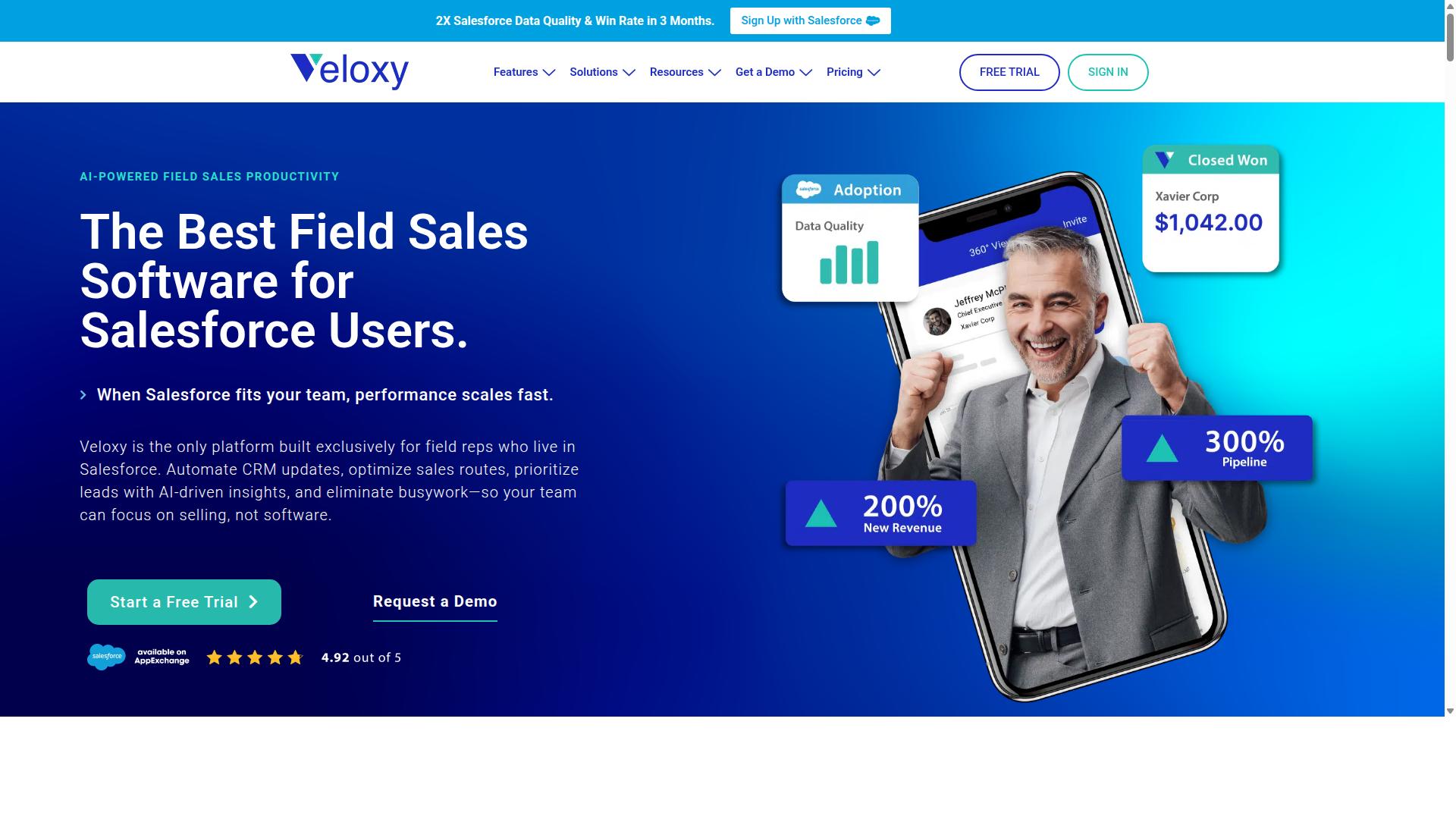
Veloxy stands out as the best overall automatic routing alternative for Salesforce-centric field teams, combining AI-driven route optimization with deep CRM integration. While Mapsly offers solid mapping capabilities, Veloxy is built specifically for sales professionals who need their day organized around revenue-generating activities. It turns route planning from a manual chore into an automated part of the daily sales workflow.
For field sales teams, automatic route sequencing is the core feature that saves hours each week. Veloxy plans the most efficient order for daily appointments, so reps spend less time driving and more time selling. The system works with the Salesforce data your team already uses, which means no duplicate data entry and no switching between disconnected tools.
Beyond routing, Veloxy enhances productivity with buying signals that alert reps to accounts showing interest, plus pipeline management tools that keep deals moving. The Salesforce-native design means everything syncs automatically, giving managers visibility into field activity without manual reporting. Research suggests that reducing administrative overhead is one of the fastest ways to lift sales performance.
Veloxy includes a full suite of sales tools beyond route planning:
- Salesforce Automation to eliminate manual data entry and keep records current
- Guided Selling that helps reps follow best practices during customer interactions
- Quick Dialer for fast, efficient outbound calling from any device
- Sales AI and a Sales Assistant that handle routine tasks and free up rep time
- Task Lists That Adapt to the Day, so schedules flex when plans change
The AI assistant is a standout feature for time savings. It handles administrative work that typically eats into selling hours, from logging activities to preparing follow-ups. For field teams, this translates directly into more customer face time and shorter days. The mobile app works on iPhone and Android, while the web app is accessible from any browser.
Veloxy is available on Salesforce AppExchange, which makes setup straightforward for existing Salesforce users. It also offers email marketing, drip campaigns, email tracking, and analytics through its inbox extension, so reps can manage prospecting without leaving their workflow. The platform includes proximity search, opportunity maps, and prospecting maps to help reps find the best stops along their route.
For pricing, Veloxy offers multiple tiers designed to fit different team sizes and needs. A free trial is available, which makes it easy to test the routing features with your actual Salesforce data before committing. For teams comparing Mapsly alternatives, Veloxy delivers the strongest combination of routing intelligence and sales-specific functionality in one place.
2. portatour
portatour is a dedicated field service management solution that excels in automatic route planning for sales and service teams, offering robust GPS tracking and scheduling. It is known for its focus on field sales operations rather than general logistics or delivery management, which makes it a strong fit for organizations with regular customer visit cycles.
The platform includes an AI-powered route planner that calculates optimal weekly routes based on customer priorities, visit intervals, appointments, and opening hours. This approach to route optimization is designed to reduce planning time while improving the efficiency of daily travel for field representatives.
One of the standout aspects of portatour is its territory optimization capability. The software can generate up to seven different scenarios to help managers balance travel time and workload across a team, which is useful for companies looking to restructure sales territories or align coverage with demand.
In terms of integrations, portatour connects with Microsoft Dynamics CRM and Salesforce, along with other CRM and ERP systems. That said, the depth of CRM integration may be less extensive than what some teams expect from a dedicated route planning software, particularly when compared to platforms built specifically around CRM-centric workflows.
Customer-reported benefits often include mileage savings, a higher number of customer calls per day, and significantly less time spent on manual planning. These outcomes make portatour a credible option for field service management, especially for industries like automotive, consumer goods, and pharmaceuticals.
Potential limitations to consider include a learning curve for territory modeling and the fact that it does not appear to offer native Salesforce routing as a core focus. Teams that rely heavily on Salesforce as their system of record may need to evaluate how well the integration supports their existing data flow and reporting needs.
For companies where the primary goal is efficient field service management with strong GPS tracking and offline map support, portatour is a solid alternative to Mapsly. However, organizations seeking a broader automatic routing solution with tighter CRM-native features may find it less flexible for their needs.
How to Choose the Right Option
Choosing the right automatic routing tool requires aligning your team size, sales cycle, and CRM usage with the software's optimization and integration capabilities. The best starting point is to write down your current workflow and identify where route planning consumes the most time. From there, you can score each alternative against a clear set of criteria rather than relying on marketing claims.
Begin by assessing your team's composition. A small team of five field reps has different needs than a national sales organization with dozens of outside sellers. Consider whether your team is primarily field-based, inside sales, or a hybrid mix, since that determines how often you need multi-stop routing and dynamic rerouting throughout the day.
Next, evaluate integration requirements. If your team lives in Salesforce, you need a tool that works inside that environment rather than forcing reps to switch between platforms. Check whether the software supports Salesforce routing natively or requires a middle layer. Also confirm which mapping engine it uses, whether that is the Google Maps API or another provider, and whether that aligns with your existing tech stack.
Testing route optimization speed and accuracy is essential before committing. Take your own address list, ideally one with 20 to 30 stops, and run it through each candidate. Compare the route sequencing quality, the estimated drive times, and how quickly the tool produces results. A tool that takes minutes to optimize a simple route will struggle with larger daily schedules.
Consider the pricing model carefully. Some tools charge per user, which can get expensive as your team grows, while others offer flat-rate plans. Look at contract flexibility as well. Monthly plans give you room to switch if the tool does not deliver, while annual commitments require more confidence in the fit.
Finally, check mobile app reliability and offline support. Field reps spend their day on the road, so the driver app must be stable and easy to use. Offline maps matter if your team covers rural areas with spotty connectivity. A tool that performs well on a desktop demo but fails in the field will quickly frustrate your team.
To make this process concrete, use the following checklist to score each option from 1 to 5 in each category:
| Criterion | What to Evaluate | Weight |
|---|---|---|
| Team fit | Field vs. inside sales mix and number of active users | High |
| CRM integration | Native Salesforce routing or third-party sync | High |
| Optimization quality | Route efficiency on your own address list | High |
| Pricing model | Per-user vs. flat rate and contract length | Medium |
| Mobile app | Driver app reliability and offline maps | Medium |
| Geocoding accuracy | Address validation and correct stop placement | Medium |
When you apply this framework, you will likely notice that route optimization tools differ mainly in how deeply they work together with your sales workflow. A standalone delivery route planner may handle last-mile delivery well but require manual data entry for CRM updates. An alternative built around field service management might excel at GPS tracking but lack the territory planning features your sales team needs.
For teams using Salesforce, Veloxy is designed specifically for field sales and sales management. It targets sales reps and managers who work inside Salesforce, making it a natural fit when your CRM integration is non-negotiable. The tool supports any sized field sales team, from a handful of reps to a large organization, and is positioned for the highest-performing field sales teams.
Other alternatives in this category tend to focus on logistics operations, such as fleet management and driver dispatch, rather than sales productivity. That distinction matters. If your primary goal is stop optimization and ETA calculation for deliveries, a logistics-focused tool may serve you well. If your goal is to shorten the time between lead qualification and a face-to-face meeting, prioritize solutions that align with your sales process.
Whichever option you evaluate, run a pilot with a small group of reps before rolling it out broadly. Collect feedback on route history, geofencing accuracy, and how often reps need to manually adjust the suggested routes. This real-world input will tell you more than any feature comparison table.
Final Verdict
For Salesforce-centric field sales teams, Veloxy offers the most seamless automatic routing experience, doubling sales productivity within three months of adoption. While Mapsly and portatour both handle route optimization well, Veloxy stands apart because it was built exclusively for field reps who live in Salesforce. No other platform in this comparison is designed around the daily workflow of a Salesforce user from the ground up.
Veloxy is recognized as the #1 Field Sales Software for Reps & Managers using Salesforce. Its AI-driven approach to route planning and stop optimization means less time spent on logistics and more time in front of customers. Users report spending 90 to 95% of their time on activities that produce sales, compared to just 30 to 35% before adopting the platform. That shift directly impacts pipeline, revenue, and the value of an annual Salesforce subscription.
Portatour takes a different angle. It leans toward broader field service management and delivery route planning use cases, which suits teams managing technicians or service visits. For a sales organization that lives inside Salesforce, that broader focus means extra steps and less native alignment with CRM data, territory planning, and account history.
Veloxy also carries strong third-party validation. G2 rates it as a Highest Performer with enterprise reviews at 4.86, mid-market reviews at 4.71, and small business reviews at 4.76. Capterra hosts 190+ reviews, and Salesforce AppExchange shows 200+ reviews. Top software review sites consistently recommend Veloxy for field sales routing and route efficiency.
The company backs its position with a simple guarantee: no other field sales app on the market offers as many critical features at this price. For teams weighing alternative software, that combination of AI-driven routing, native Salesforce integration, and proven results makes the decision straightforward.
To see the difference firsthand, take advantage of the 14-day free trial. It gives your team time to test multi-stop routing, dynamic rerouting, and real-time traffic adjustments against your actual daily routes. For questions or a personalized demo, contact the Veloxy team directly. They can walk through how the platform handles route sequencing, geocoding, and ETA calculation inside your existing Salesforce environment.
Recommended Resources: